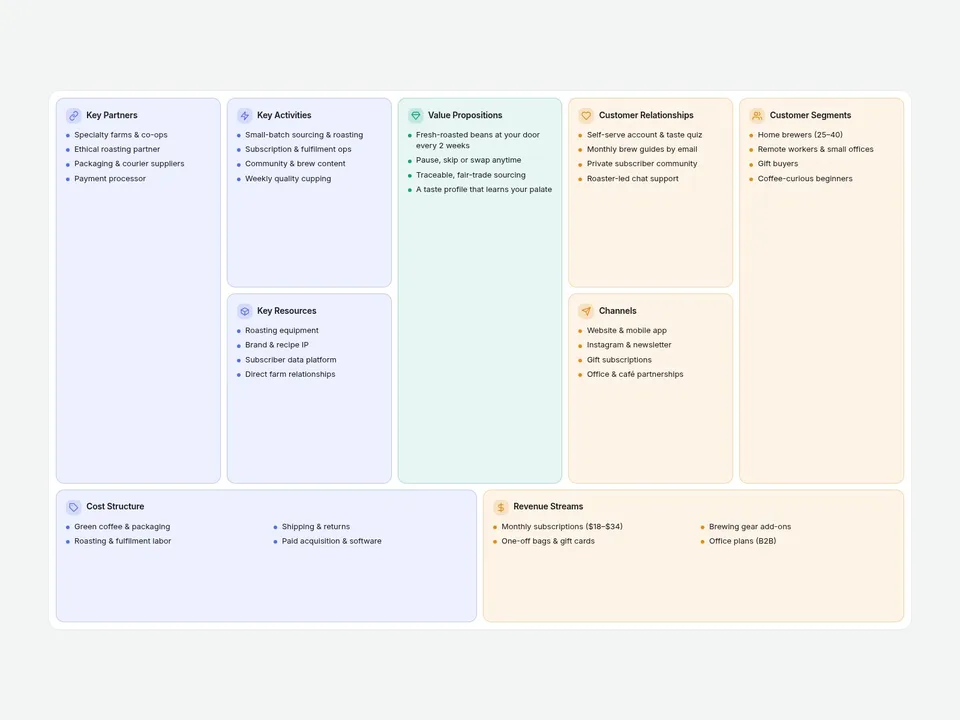
What it does
Stop pasting your Business Model Canvas as a screenshot. This component draws the classic 9-block canvas in the correct proportions, fully editable from the properties panel: titles, bullet lists, icons and colors.
Switch Mode to Lean Canvas and the layout swaps Key Partners, Key Activities, Key Resources and Customer Relationships for Problem, Solution, Key Metrics and Unfair Advantage. Same grid, same style.
Great for startup pitches, consulting case studies, brand strategy pages and course landing pages.
Customizable properties
- Mode — Business Model or Lean Canvas
- Blocks — title, list of items and optional custom icon for every block
- Initial Focus — open with one block expanded
- Click to Focus / Hover Highlight — expand a block on click, dim the rest on hover
- Bullets — dot, dash, number, check or none
- Icons — built-in icon set, or upload your own per block
- Colors — three section colors (infrastructure, value, customer), block tint, background, text, border
- Stack Below — width where the canvas becomes a single column
- Gap, radius, padding
- Fonts — separate title and item fonts
Why this component
- Drop it in and it already looks finished: a subscription coffee brand is pre-filled as sample content.
- Two canvases in one component: switch between Business Model and Lean Canvas without rebuilding anything.
- Built for real pages: blocks expand on click to show long lists, and on phones the canvas stacks into one column in the same order. Keyboard and screen-reader friendly.
Need help?
Email hello@brandingupstudio.com — we usually reply within 72 hours. Custom edits are available from $75/hr.