What it does
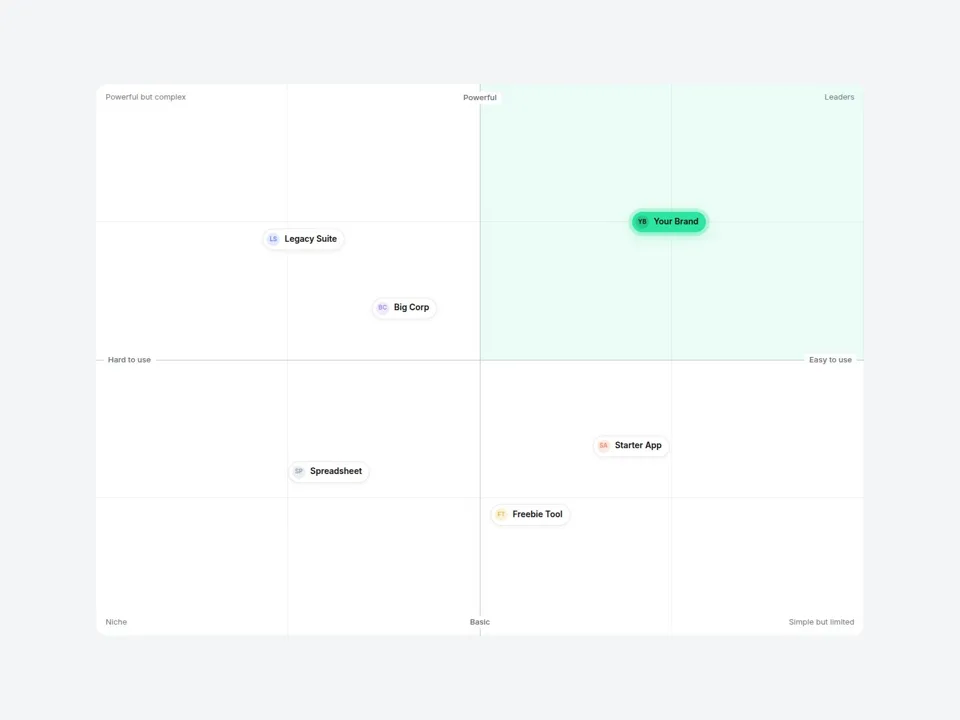
Place your product and competitors on a 2x2 map — just type an X and Y value (0–100) for each one. Axes, quadrant names and spacing are handled for you, and your own brand stands out with an accent chip and a highlighted quadrant.
Perfect for "Why us" sections, SaaS comparison pages, pitch-style landing pages and brand strategy case studies.
Customizable properties
- Items — name, X, Y, logo (or auto initials), color, tooltip note and a Featured toggle
- Axes — left, right, bottom and top labels
- Quadrants — four corner names, plus one highlighted quadrant
- Marker — Chip (logo + name) or Dot (point + label)
- Tooltips — hover (or tap) an item to show its note
- Entrance — items pop in once when scrolled into view
- Style — background, grid, axis, text, chip and accent colors, corner radius
- Fonts — label, axis and quadrant fonts
Why this component
- Data-first: move an item by changing two numbers — no manual positioning.
- Your brand pops: accent chip with a soft ring + tinted "winning" quadrant.
- Responsive: positions are relative, text stays readable from desktop to mobile.
Need help?
Email hello@brandingupstudio.com — we usually reply within 72 hours. Custom edits are available from $75/hr.