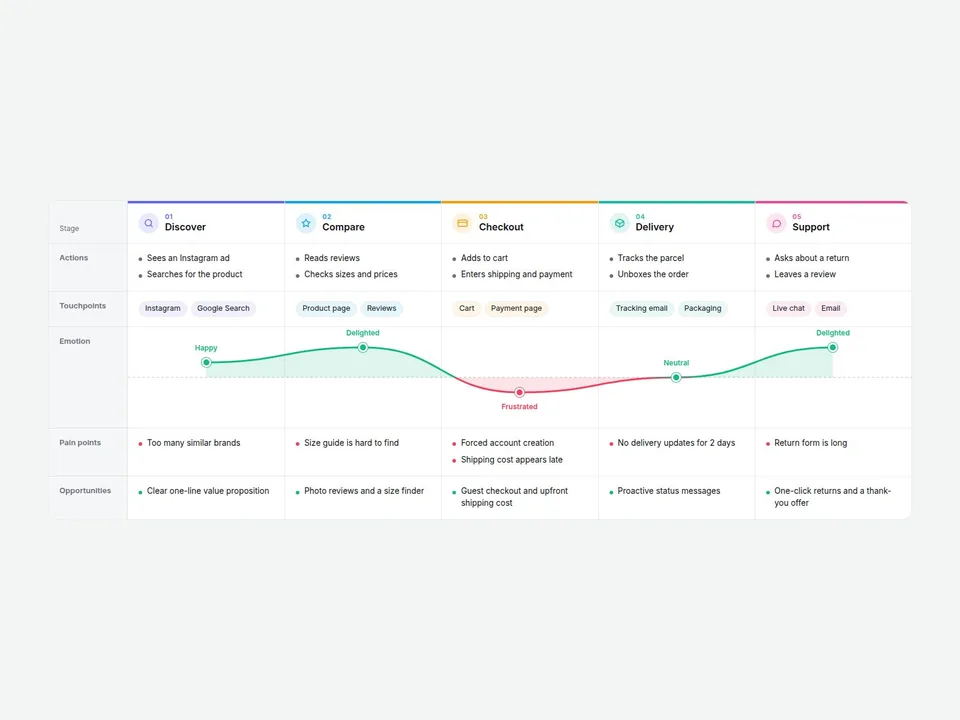
What it does
Add your journey stages, fill in what the customer does, where they interact, and how they feel — Customer Journey Map builds the whole grid for you. Columns are stages, rows are actions, touchpoints, emotion, pain points and opportunities. Give each stage a score from -2 to +2 and a smooth emotion curve draws itself across the map.
Perfect for UX and branding case studies, service design presentations, agency proposals and "how we work" pages.
Customizable properties
- Stages — name, icon, color, actions, touchpoints, emotion score, pain points and opportunities for each stage
- Row toggles — show or hide Actions, Touchpoints, Emotion, Pain points and Opportunities
- Density — Comfortable or Compact
- Hover Column — highlight the stage under the cursor
- Stage Icons and Mood Labels — switch on or off
- Row Labels — rename every row
- Colors — positive and negative curve colors, background, label column, text, border
- Radius and fonts — separate body and header fonts
Why this component
- Scores in, curve out: no drawing, no pen tool. The line is smooth, and it changes color above and below the neutral line so highs and lows read at a glance.
- One map, two versions: hide rows to show a clean summary in a pitch, show them all for a workshop.
- Built as a real table with a sticky label column — on small screens the stage columns scroll sideways and snap into place.
- Ships with a complete sample (online store purchase journey, 5 stages), so it looks finished the moment you drop it in.
Need help?
Email hello@brandingupstudio.com — we usually reply within 72 hours. Custom edits are available from $75/hr.