What it does
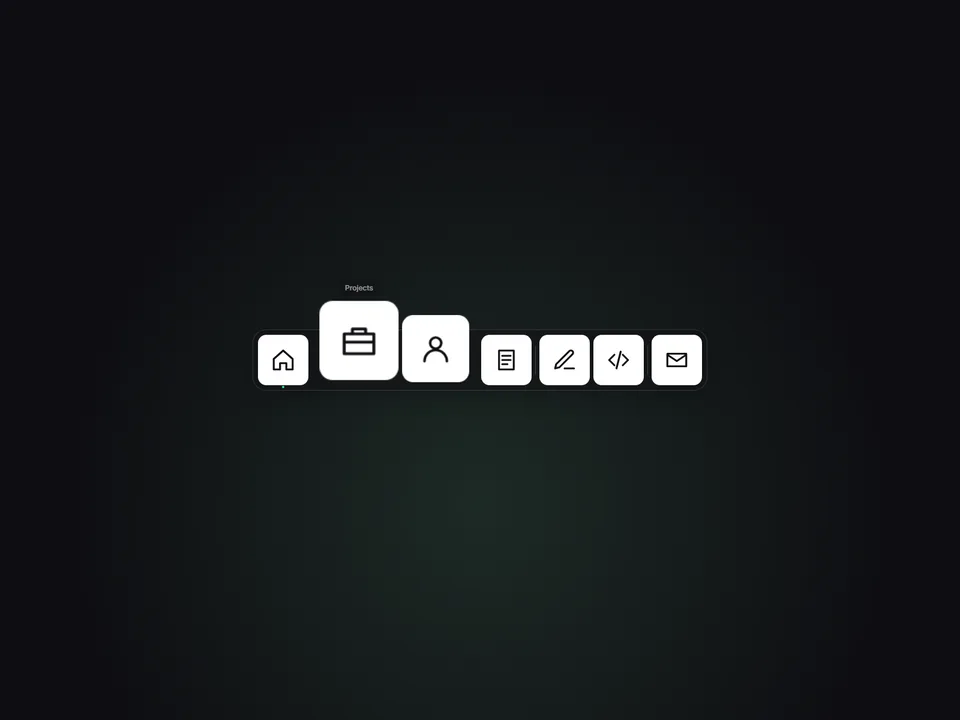
Magnetic Dock turns a row (or column) of icons into a macOS-style dock. As the cursor approaches, nearby icons grow with a smooth distance falloff, get gently pulled toward the pointer and lift off the edge of the bar — so the whole dock feels alive, not just the icon under the mouse. The label pops up as a tooltip above the closest icon, and a click opens its link.
It works in four positions — Bottom, Top, Left or Right — so the same component is a footer dock, a top app bar or a vertical side rail. Add an Active dot to mark the current page, drop a separator after any item, and upload icon images or let the built-in glyphs do the job: labels like Home, Projects, About, Blog, GitHub, Dribbble or Contact get a matching line icon automatically, anything else gets a clean initial tile.
Keyboard users get the same effect: Tab or arrow keys move focus, the focused icon magnifies with its tooltip and an accent ring, Enter opens the link. On touch screens choose Tap to Magnify (first tap grows the icon and shows the label, second tap opens) or Static.
Customizable properties
- Items — icon image, label, link, open in new tab, Active dot, Separator after (up to 16)
- Position — Bottom, Top, Left or Right (orientation, growth direction and tooltip side follow)
- Icon Size, Magnify (1–2.5×), Range, Magnet pull, Lift, Speed
- Gap, Padding
- Tooltips on/off, Tooltip fill, text and radius
- Touch — Tap to Magnify or Static
- Dock Style — Glass (blur), Solid or None; Background, Blur, Border, Radius
- Icon Radius, Tile Color and Glyph Color for the built-in glyph tiles
- Accent — active dot and keyboard focus ring; Separator color
- Canvas Preview — shows item N magnified on the canvas so you can design (and screenshot) the hover state
- Font — tooltip and initial tiles
Why this component
- Magnify + magnetic pull + lift in one motion model — most docks only scale.
- Real vertical mode: Left/Right rails, not just a bottom bar.
- Keyboard focus magnifies too, with arrow-key navigation and a visible focus ring.
- Touch behaviour is a choice, not an afterthought.
- Looks finished with zero images thanks to 18 built-in glyphs and initial tiles.
- No animation library. The loop only runs while you interact, stops completely at rest, pauses off-screen, and the canvas, static export and reduce-motion all show a calm, correct dock.
Need help?
Email hello@brandingupstudio.com — we usually reply within 72 hours. Custom edits are available from $75/hr.