What it does
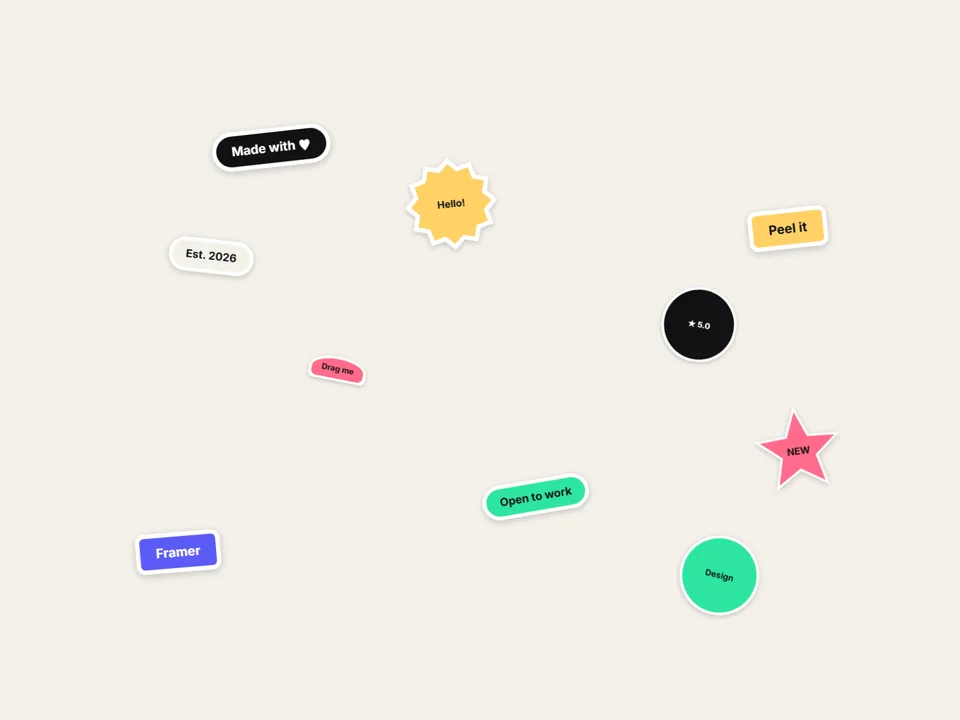
Turn a hero, an About page or a link-in-bio into a board of die-cut stickers. Grab one and it peels up from the corner, leans into the direction you drag, then slaps back down with a slight twist and a soft shadow. Visitors can throw stickers around and double-click the board to put everything back.
You don't need a single image to start: type a label, pick a shape (pill, rectangle, circle, star, burst or arch) and a color, and you have a sticker with a clean white die-cut edge. Mix in transparent PNGs or SVGs when you want logos or illustrations — the outline follows the image edge. Give any sticker a link: a quick tap opens it, dragging never does.
Customizable properties
- Stickers — up to 30: Text or Image, label, shape, color, link, size, manual position and tilt
- Layout — Scatter (with a Shuffle seed), Grid, Arc or Manual
- Size, Size Variety and Max Tilt — control how "hand-placed" the board feels
- Peel, Lift, Lean, Slap Tilt — the physical feel while dragging and dropping
- Throw on/off, Grab to front, Bounds (keep inside / free), double-click Reset
- Die-cut border width and color, Radius, Shadow
- Text color auto (by fill brightness) or custom, padding, background, full Font control
- Links open in the same or a new tab
Why this component
- Works with zero images: text and shape stickers look finished out of the box, and image stickers can be mixed in.
- Every sticker can be a link — tap opens, drag never does — so it doubles as a playful navigation or link-in-bio.
- Auto layouts (Scatter, Grid, Arc) place everything for you; switch to Manual when you want exact spots.
- Pure CSS peel and shadows, no WebGL, one file. Positions are percentage-based, so the board holds up on resize.
- Canvas and static export show the arranged board; "reduce motion" users still get drag, without the peel and lift effects.
Need help?
Email hello@brandingupstudio.com — we usually reply within 72 hours. Custom edits are available from $75/hr.