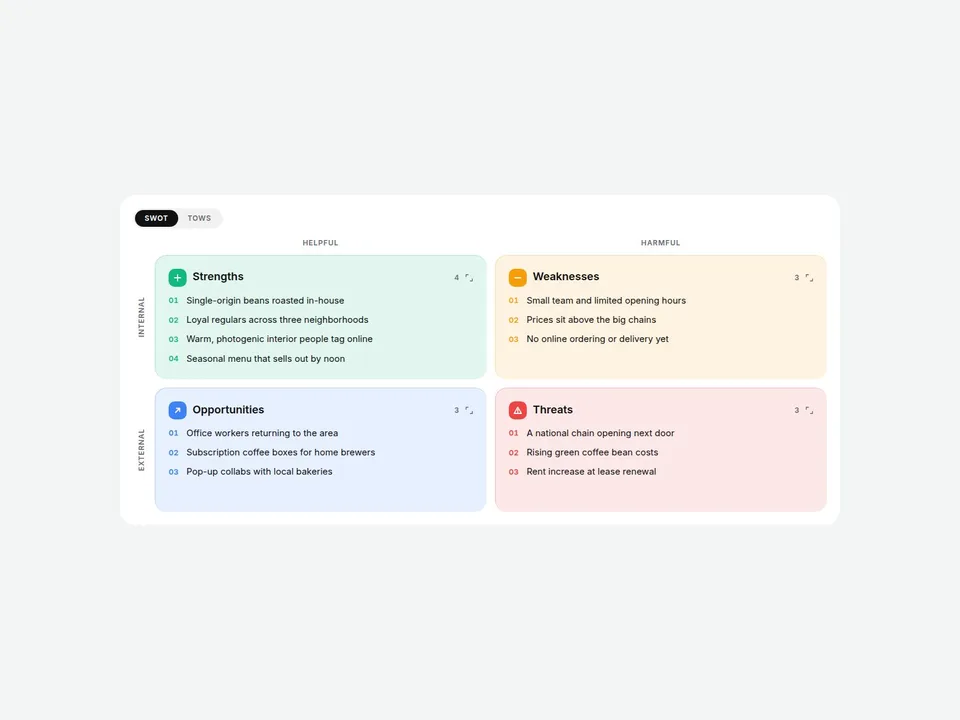
What it does
Drop in a ready-made SWOT analysis — Strengths, Weaknesses, Opportunities and Threats — and type your own points into each box. Numbering, colors, axis labels and spacing are handled for you.
Hover a box and the others fade back. Click one and it expands to fill the space while the rest fold down to their titles. And with one switch, the same matrix turns into a TOWS strategy table (SO, WO, ST, WT) so you can go from analysis to action on a single page.
Perfect for brand strategy pages, consulting and agency sites, case studies, startup pitch pages and portfolio write-ups.
Customizable properties
- Type — SWOT or TOWS, plus an optional switch your visitors can use
- Layout — Grid 2x2, Cross (center axis lines) or Stacked; switches to one column automatically on narrow screens
- Boxes — title, list of points and an optional custom icon for each of the four quadrants
- TOWS Strategies — title and points for SO, WO, ST and WT
- Axis labels — Internal / External and Helpful / Harmful (all editable, or hide them)
- Interaction — Hover Focus and Click Expand, each on/off
- List style — 01 02, 1. 2., bullets, dashes or none; icon style Symbol, Letter or None
- Colors — one color per quadrant, a soft tint is generated for each background automatically
- Style — background, text colors, gap, corner radius, padding
- Fonts — title, item and label fonts
Why this component
- Not just a static grid: hover dimming, click-to-zoom and keyboard support make long lists easy to read.
- SWOT and TOWS in one component — no second layout to build.
- Works from desktop to mobile, and the sample (a cafe brand) looks finished the moment you drop it in.
Need help?
Email hello@brandingupstudio.com — we usually reply within 72 hours. Custom edits are available from $75/hr.